Halloween AI video: animate a photo and generate a clip
Halloween is movement: flickering pumpkins, fog in an alley, a glance from the dark. MindlyFlow turns a still frame into video, generates a scene from text and writes the music — the whole clip for social media is assembled in your browser.
How to build a Halloween clip from one frame
Halloween content wins on atmosphere: motion, light and sound. A working formula is “frame → motion → music”: get a Halloween photo first, then animate it and add a track. Each step takes minutes and no video editor is needed.
- Photo animation: the network adds facial expression, head turn and camera movement. MP4 up to 15 seconds, HD, 10 tokens.
- Video from a description: the scene is generated from scratch from text, no filming. You can attach a photo reference so the hero is the person from your shot.
- Music: dark ambient, orchestral horror or lo-fi — a track up to 5 minutes, with or without vocals, from 3 tokens.
- Ready for social media: vertical and horizontal formats, MP4 without watermarks.
Three tools for Halloween content
Each tool solves its own task — combine them in a single clip.
Photo animation
One still turns into video: expression, gaze, head turn, wind in the hair. 50+ motion templates or your own prompt.
Video from a description
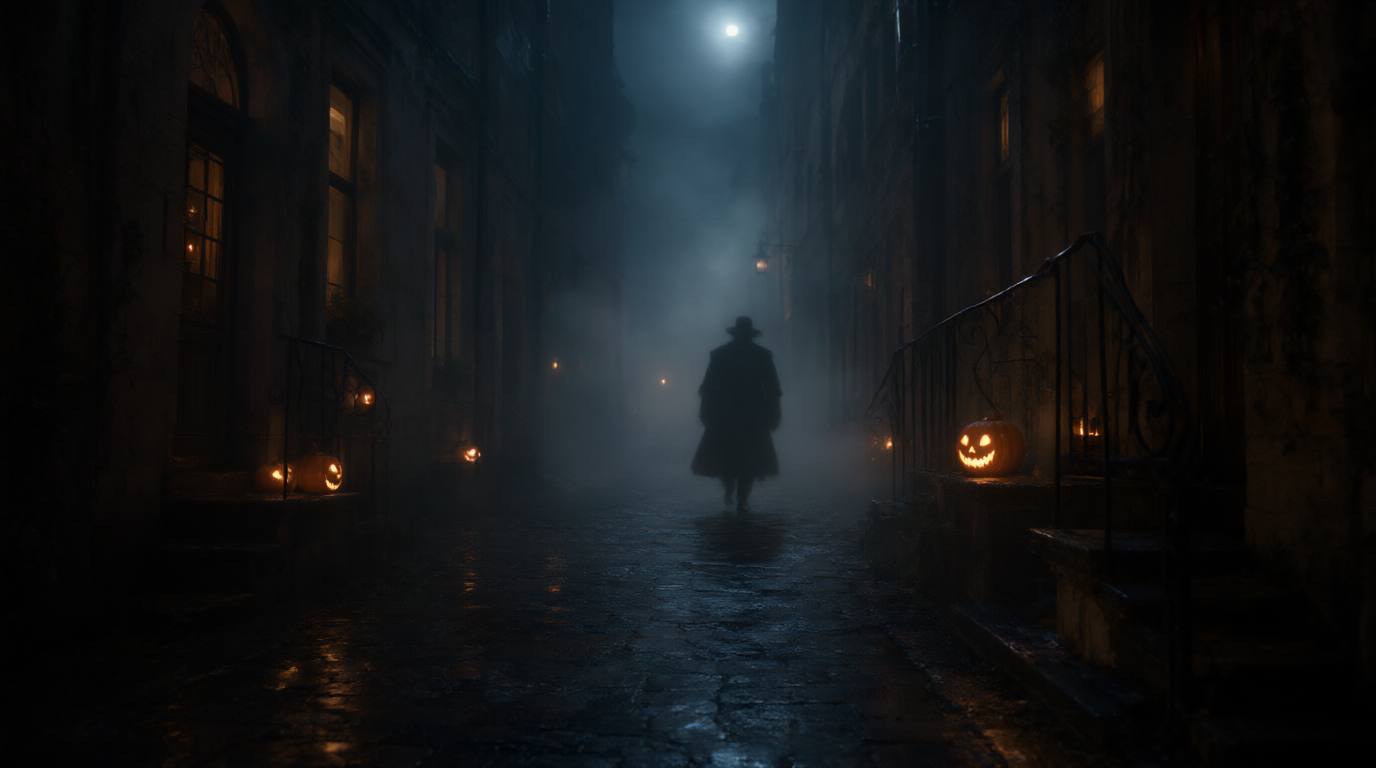
A scene from scratch by text: a night alley, burning pumpkins, a silhouette in the fog. No photo or filming needed, a photo reference is optional.
Music
A track for the mood of the clip: dark ambient, orchestral horror, lo-fi. Up to 5 minutes, Russian or English vocals, or instrumental.
Halloween frame
Need a source image first? Create a Halloween neurophoto look and then animate it.
Get the source frame
A Halloween neurophoto or any of your own shots — JPG or PNG up to 15 MB.
Add motion
An animation template or your own motion prompt. A clip up to 15 seconds, MP4.
Add sound
Generate a track for the scene and assemble the final clip for Reels, Shorts or TikTok.
What Halloween video generation costs
Photo animation and video from a description cost 10 tokens each, music starts at 3 tokens. Packs without a subscription: 10 tokens — 249 RUB, 25 — 549 RUB, 50 — 990 RUB. New accounts get 3 free tokens.
A full Halloween clip — a neurophoto frame, animation and music — costs 16 tokens. A single clip renders in about 1–3 minutes for video from a description and 5–10 minutes for photo animation.
Frequently asked questions about Halloween AI video
Can I animate a photo from my phone?
Yes, the editor runs in the browser. JPG and PNG up to 15 MB work — a phone shot is fine.
How long is a clip?
Up to 15 seconds — enough for Reels, Shorts and stories. A longer video can be assembled from several clips.
Do I need editing experience?
No. The formula is “frame → motion → music”, and every step takes a couple of clicks in the browser.
Is there sound in the video?
Music is generated by a separate tool: a track up to 5 minutes, Russian or English vocals, or instrumental.
What if I have no Halloween photo?
Create a frame in neurophoto first — it has ready horror templates and supports Russian prompts.
Can I use the clip on social media?
Yes. Video is saved as MP4 without watermarks — for posts and stories.
Create your first Halloween clip
3 free tokens are on your balance after signing up — start by animating a single photo.
- No Subscription
- No Watermarks
- Processing History
- Tokens never expire


